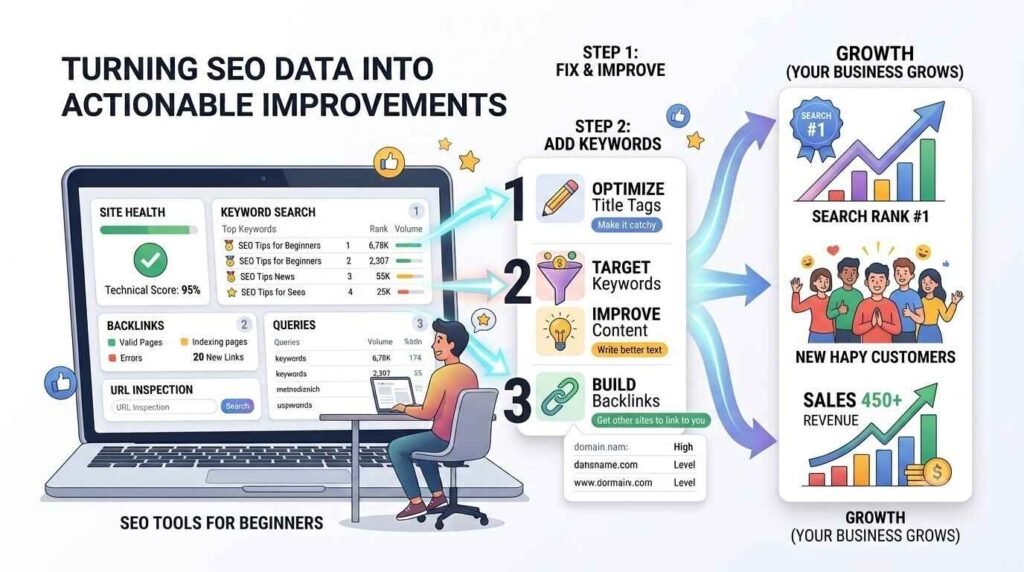
I recall working with a client whose website wasn’t doing well. They had been adding blog posts and service pages for months. Search engine visitors weren’t increasing.
The numbers weren’t changing.
I didn’t want to guess the problem. I used Google Search Console to analyze their data. It took one hour and it was clear what was happening. They were using keywords. Technical issues were preventing Google from indexing their pages.
You can’t see these problems by looking at the website.
The data from SEO tools for beginners was the key to figuring out what was going on.
After we fixed these issues, based on what the SEO tools for beginners showed us the website started performing in search results.
More people began visiting the website.
We started getting inquiries.
That’s when I knew for sure that SEO tools for beginners are crucial.
You need them to do SEO properly.
If you have a website whether you’re a business in Kottayam, a company serving all of Kerala or an online store this article will explain what SEO tools, for beginners are, what they do and why you need to start using SEO tools for beginners today.
What Are SEO Tools for Beginners, Exactly?
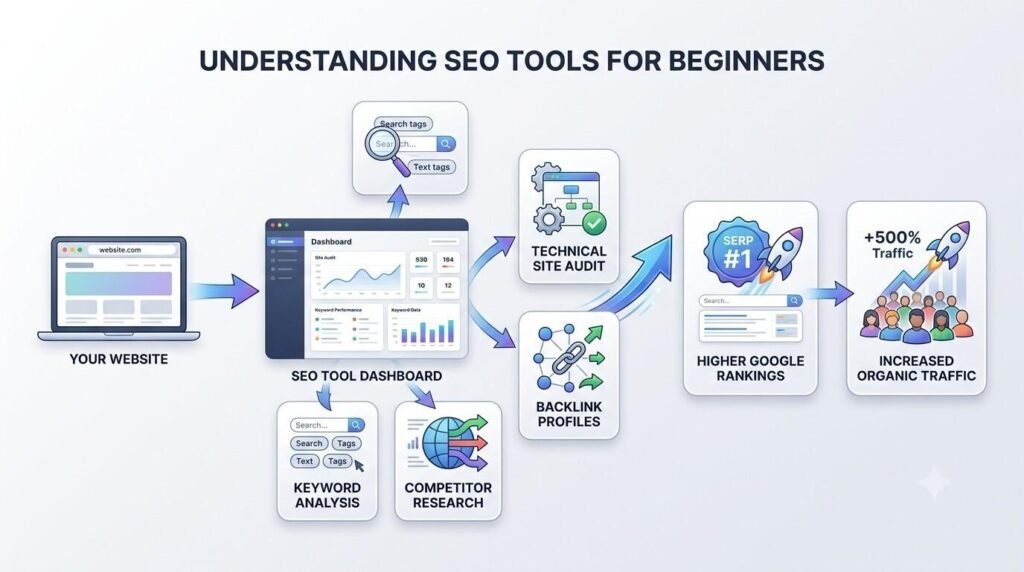
SEO tools for beginners are programs that help you see how your website is doing on search engines like Google. They are like helpers that give you information about your website.
Most SEO platforms are free which is great. Anyone can use them to learn about search engine optimization. You can use them to find out what is going on with your website.
- They show you the words people use to find your website. These words are called keywords.
- They tell you how your pages rank in search results. This helps you see where you stand on Google.
- They help you find SEO issues on your site. These are problems that hurt your ranking and you need to fix them.
- They show you where you can make your website better. This could be anything from the content to the design of your website.
SEO tools give you information about your website. That is their job. They do not do the work for you. You have to use the information to make changes to your website. Some people think that just using a SEO tool* will put their website at the top of Googles search results. That is not true.
SEO tools help you understand what is happening behind the scenes. They show you chances to improve your content fix errors and make your website better for visitors.
Think of a SEO tool* like a doctors check-up.
The doctor runs tests to find the problem.
The doctor does not fix you by running tests.
They find the problem so you know what to fix.
Search engine optimization tools help you find your websites strengths and weaknesses. Then you can take action. Once you understand the data you can make your content better. You can fix website problems. Make smart decisions.
Using SEO tools for beginners and SEO analysis tools helps you see what is working. You can fix what is not working. You can make your website more visible, in search results. By doing this you can grow your website over time. It is a process that takes time and effort.
The First SEO Tool Every Beginner Should Use: Google Search Console
When I started out my advice is always the same: start with Google Search Console. Google Search Console is free. Its made by Google. It’s the way to see how Google sees your website.
On the day open the Performance report. This one screen gives you a lot of information:
* Clicks. This shows how many people visited your website from Google search.
* Impressions. This shows how times your website pages appeared in search results.
* Click-through rate. This shows what percentage of people who saw your page clicked on it.
* Average position. This shows where your website pages usually rank for a given keyword.
Many people who are new, to this think the Performance report will be hard to understand.. It’s actually simple. Four numbers tell you everything you need to know. When I show this report to clients for the time they are usually surprised. Most people find out that their website is already showing up in Google for keywords they didn’t even try to target. Some of their website pages have impressions but not many clicks. This means they can get traffic by making a small change to the page title or meta description.
Google Search Console gives you the power of data. You stop guessing what to do. You start making decisions based on evidence. You work with Google Search Console. It helps you make your website better.
What SEO Tools for Beginners Reveal That You Cannot See Otherwise
Let me give you a real example from local work I have done in Kottayam.
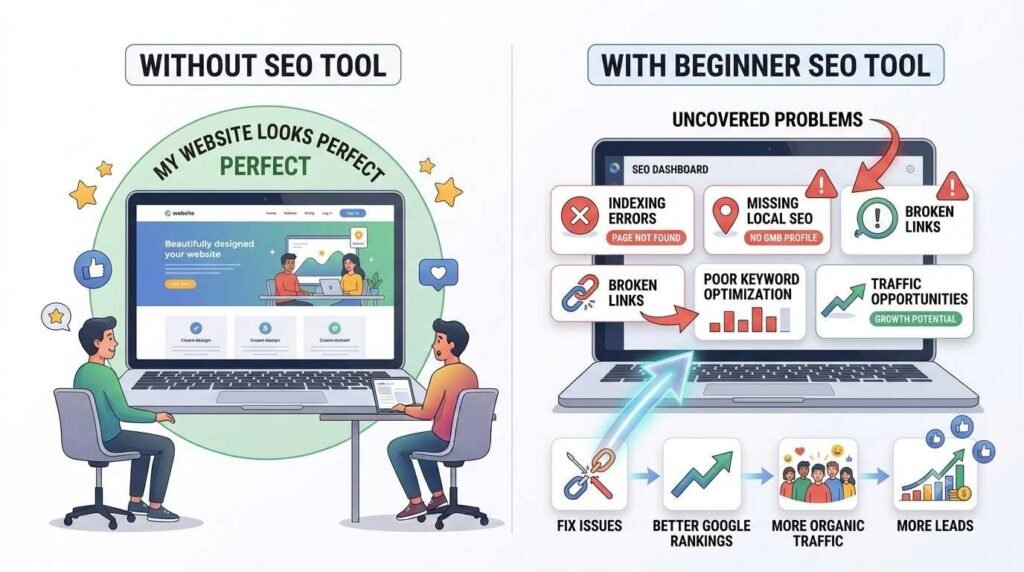
Many local business websites have a problem that is completely invisible to their owners: they are missing the basic building blocks of local SEO. No location-specific keywords.
No properly linked Google Business Profile. Inconsistent NAP details — that is Name, Address, and Phone Number — scattered across different directories online.
To a business owner, the website looks fine. But to Google, the signals are weak or contradictory, and the site struggles to appear when someone nearby searches for what that business offers.
A beginner SEO tool surfaces all of this within minutes of running a basic audit. These are not complex, expensive fixes. They are foundational adjustments that, once made, can directly translate into more phone calls, more website visits, and more walk-in customers.
In one project using Google Search Console and Google Analytics together, identifying and fixing these kinds of issues — technical problems, underperforming pages, and missed keyword opportunities — led to a 40% increase in organic traffic over four months. Several target keywords moved from page two or three of Google onto page one. The client saw a measurable increase in inquiries as a direct result.
None of that would have been possible without the tools making the problems visible first
The Mistake Most Beginners Make After They Get Access to the Data
Here is something I have observed consistently: the most common mistake beginners make is not before they start using SEO tools. It is after.
Once people have access to dashboards, rankings, and traffic reports, many fall into the trap of watching the numbers rather than acting on them. They check their keyword positions daily. They monitor traffic graphs. They run report after report. But they do not optimise the pages, fix the technical issues, or improve the content that the data is pointing to.
Data without action is just a scoreboard. The value of SEO tools for beginners is not in observing the results — it is in using the insights to make consistent, incremental improvements over time.
Small actions, done regularly, compound. A better title tag here. A fixed broken link there. A page updated to target a keyword that is already getting impressions. These are the moves that build rankings over months, and none of them require an advanced technical background.
Are SEO Tools for Beginners Only for Big Companies?
This is a question I hear often, particularly from small business owners in Kottayam and across Kerala. The short answer is no — and in fact, the opposite is closer to the truth.
Large companies with significant marketing budgets can afford to make mistakes and course-correct. Small businesses cannot. That makes data more important for them, not less. A local shop or service business that understands which keywords are driving traffic, which pages are underperforming, and how customers are finding them online has a genuine competitive advantage over neighbouring businesses that are still operating on guesswork.
Free tools like Google Search Console and Google Business Profile Insights cost nothing. They give local business owners the same quality of data that large companies pay thousands of rupees per month to access through premium platforms.
Where to Start: One Tool, One Step at a Time
If you are reading this feeling overwhelmed, here is the simplest possible advice I can give you, drawn from my own experience starting out: begin with one tool and learn it properly before adding another.
Start with Google Search Console. Connect it to your website. Open the Performance report. Spend time understanding what those four metrics — clicks, impressions, CTR, average position — are telling you about your website right now.
Then act on what you find. Fix one thing. Optimise one page. Improve one title tag. Come back next week and check whether the numbers moved.
SEO becomes far less overwhelming when you treat it as a series of small, consistent improvements rather than a complex system to master all at once.
Frequently Asked Questions: SEO Tools for Beginners
What is the best free SEO tool for beginners? Google Search Console is the best starting point. It is free, built by Google, and gives you direct data on how your website performs in search results.
Do SEO tools for beginners automatically improve rankings? No. SEO tools provide data and insights. Ranking improvements come from acting on that data — optimising content, fixing technical issues, and improving user experience.
How long does it take to see results using SEO tools for beginners? Results vary, but consistent action based on tool insights typically produces noticeable improvements within three to six months.
Can a small local business in Kottayam benefit from SEO tools? Absolutely. Free tools like Google Search Console and Google Business Profile Insights are especially valuable for local businesses with limited budgets, helping them compete effectively in local search results.
What should a beginner check first in Google Search Console? Start with the Performance report. Focus on four metrics: clicks, impressions, click-through rate, and average position.
Whether you’re just getting started with SEO tools for beginners or looking to improve your rankings, visit our homepage to learn how we can help your business grow online.